

 Image 1 of 9
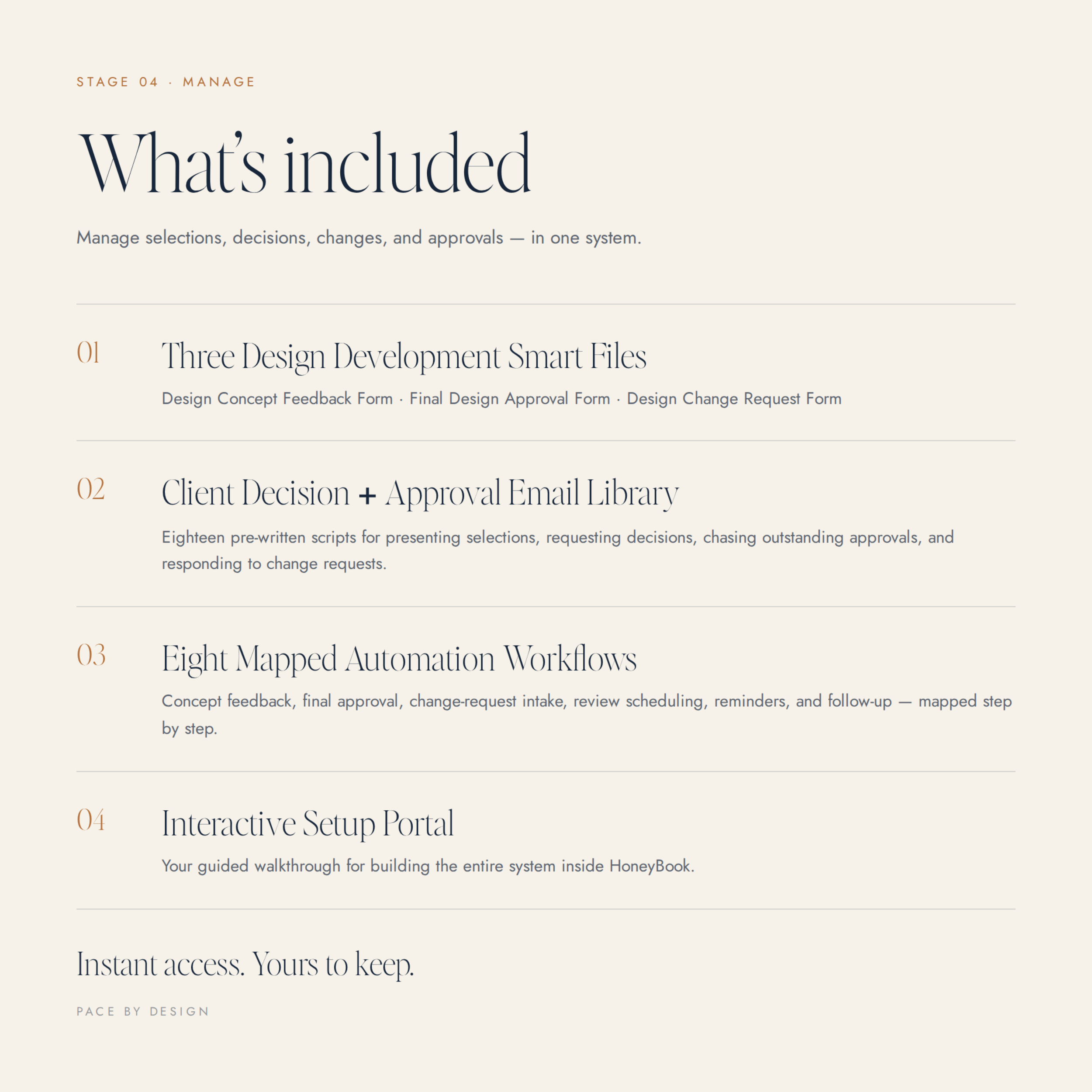 Image 2 of 9
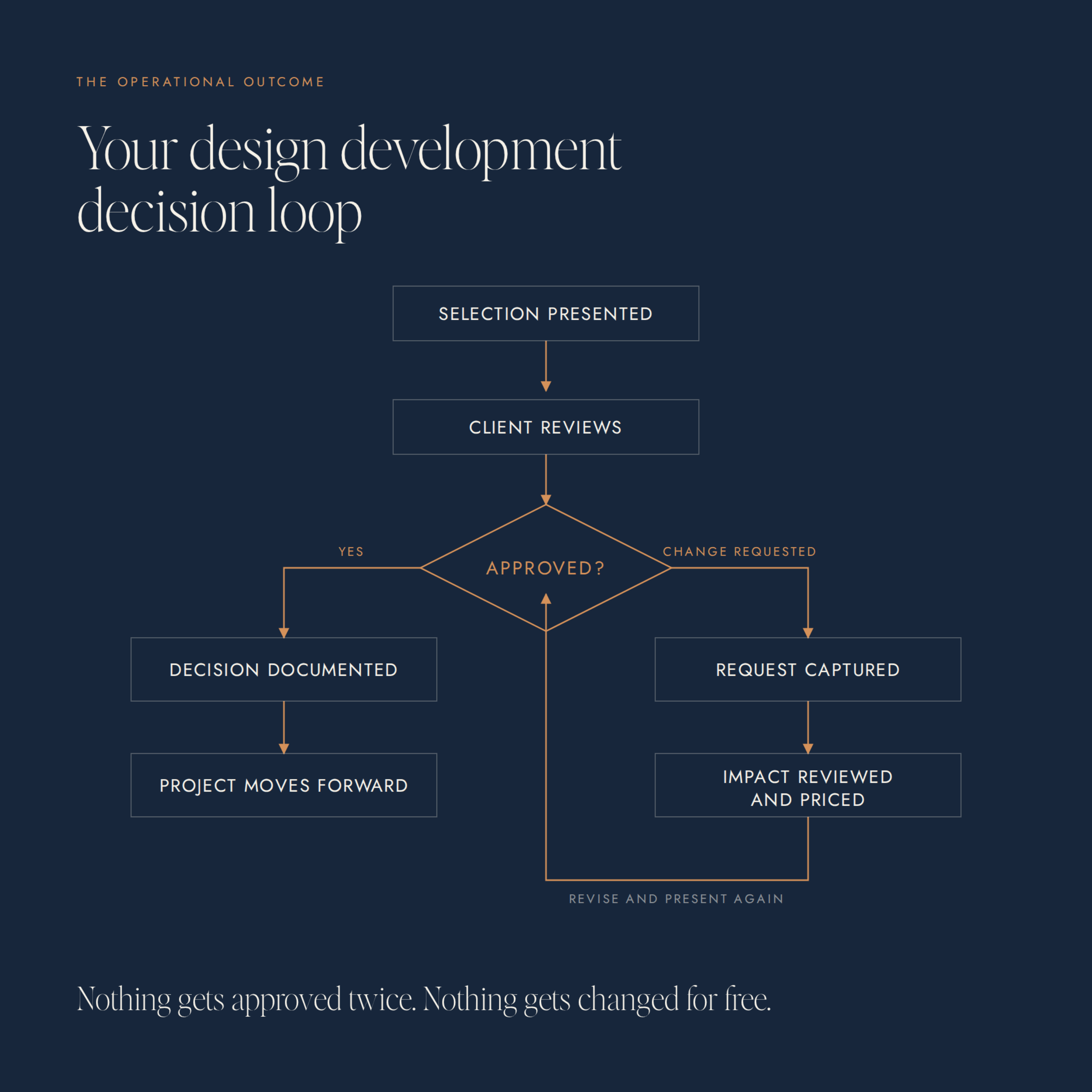 Image 3 of 9
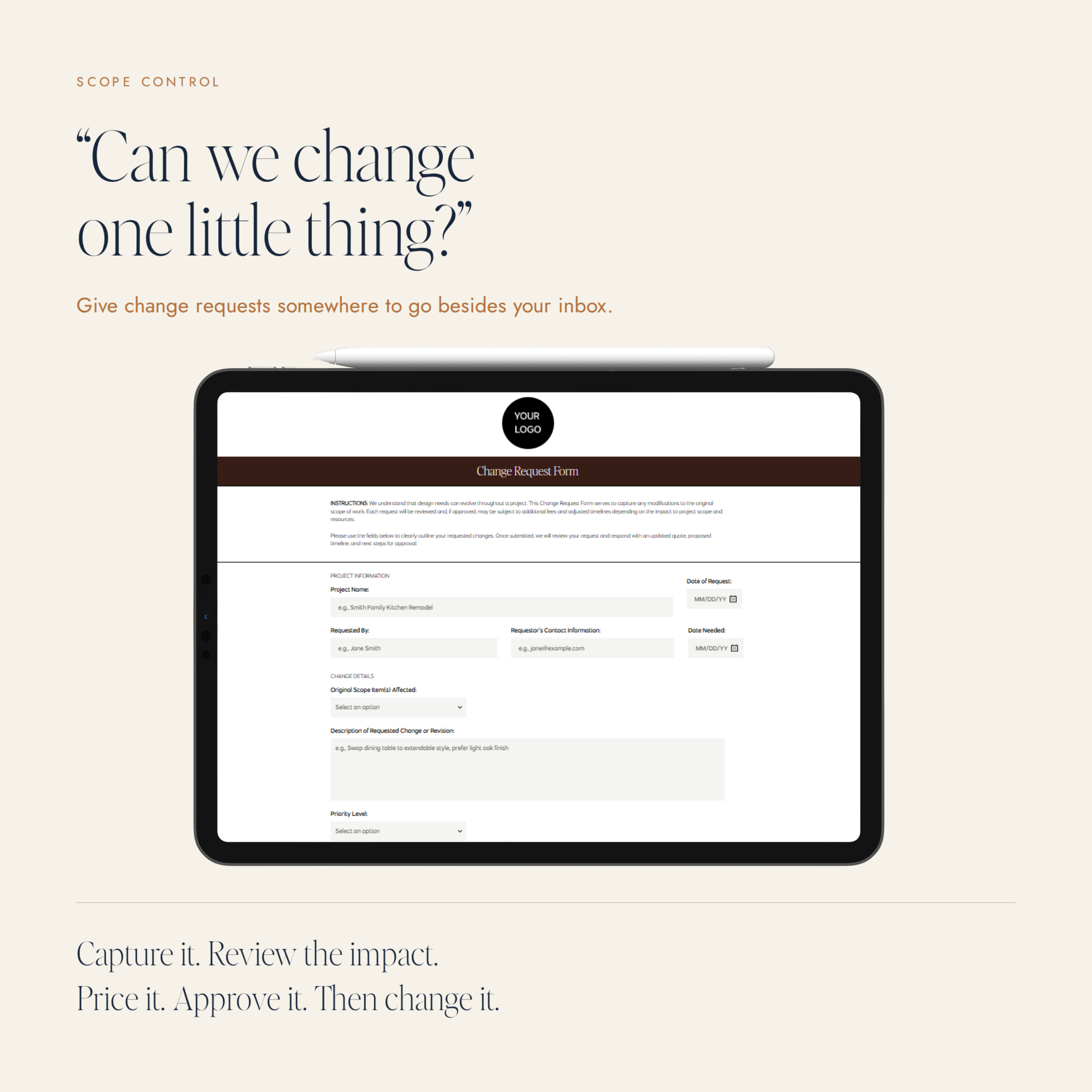 Image 4 of 9
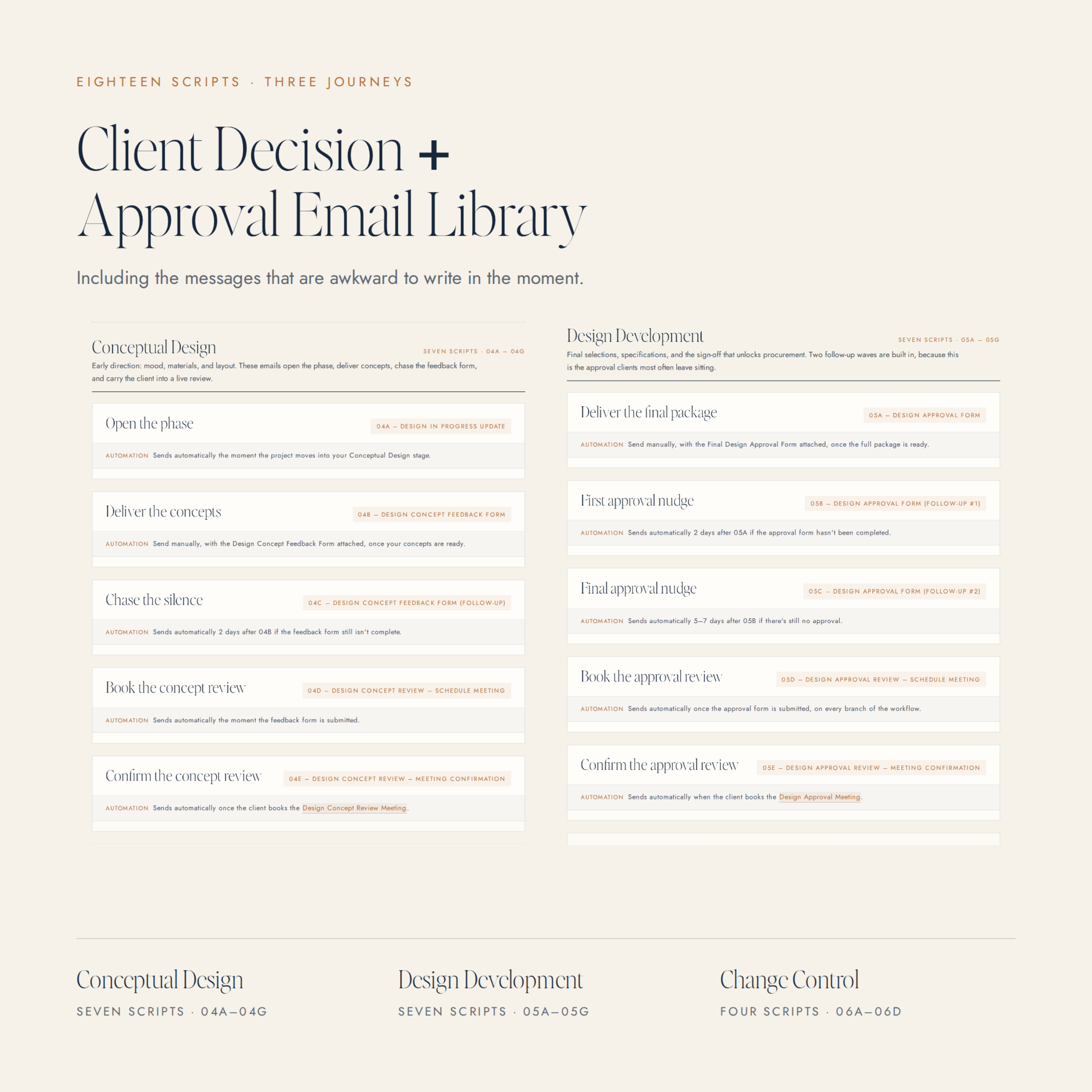 Image 5 of 9
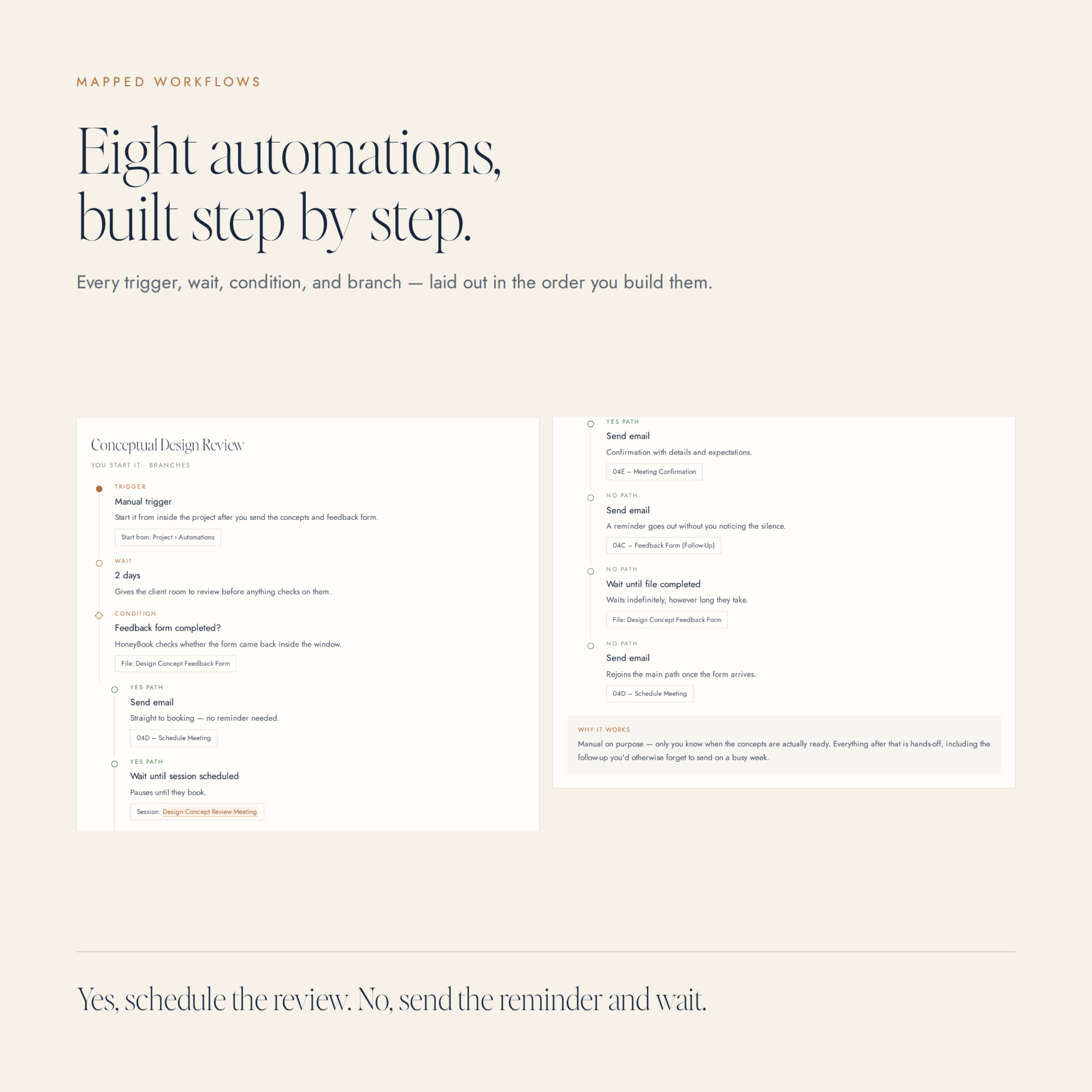 Image 6 of 9
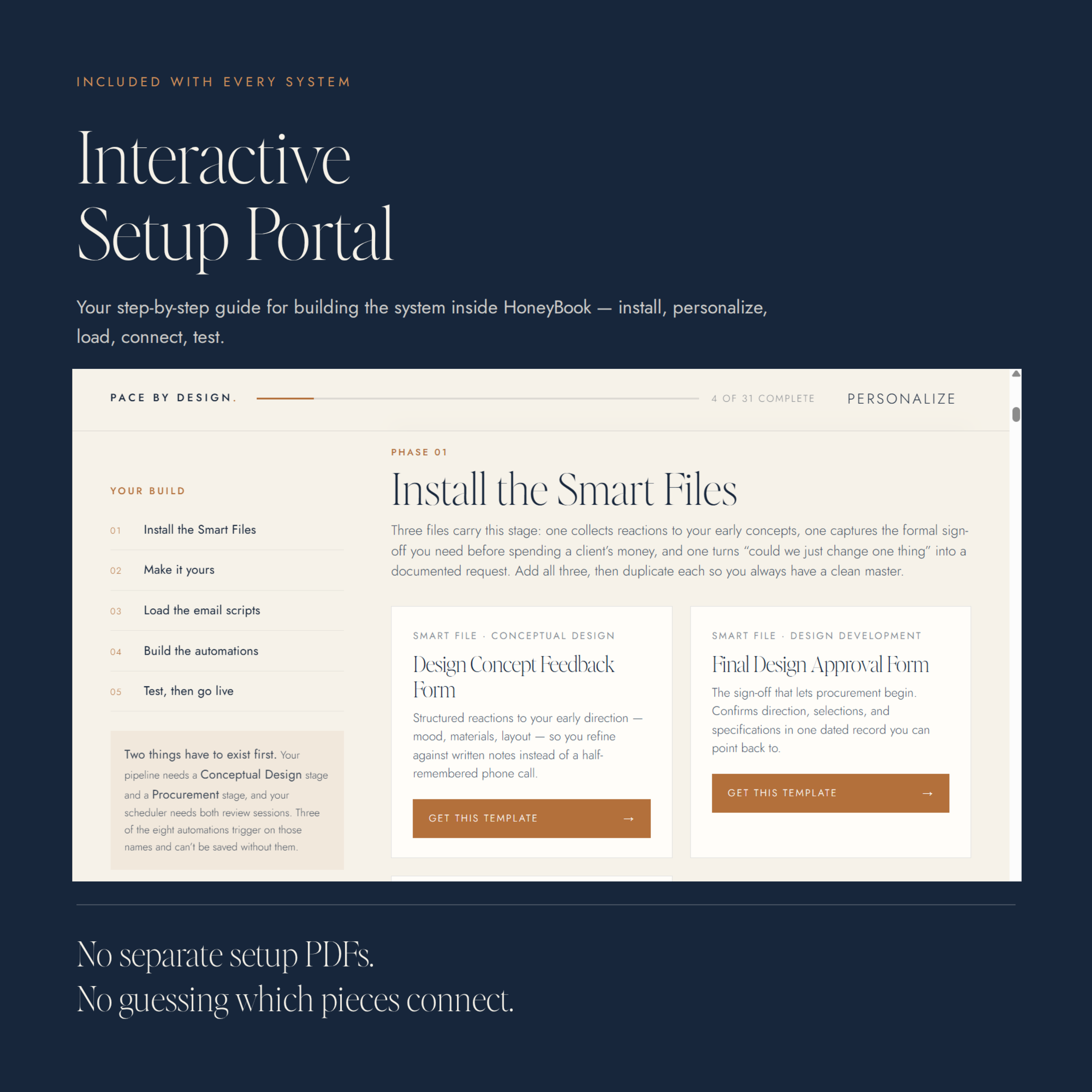 Image 7 of 9
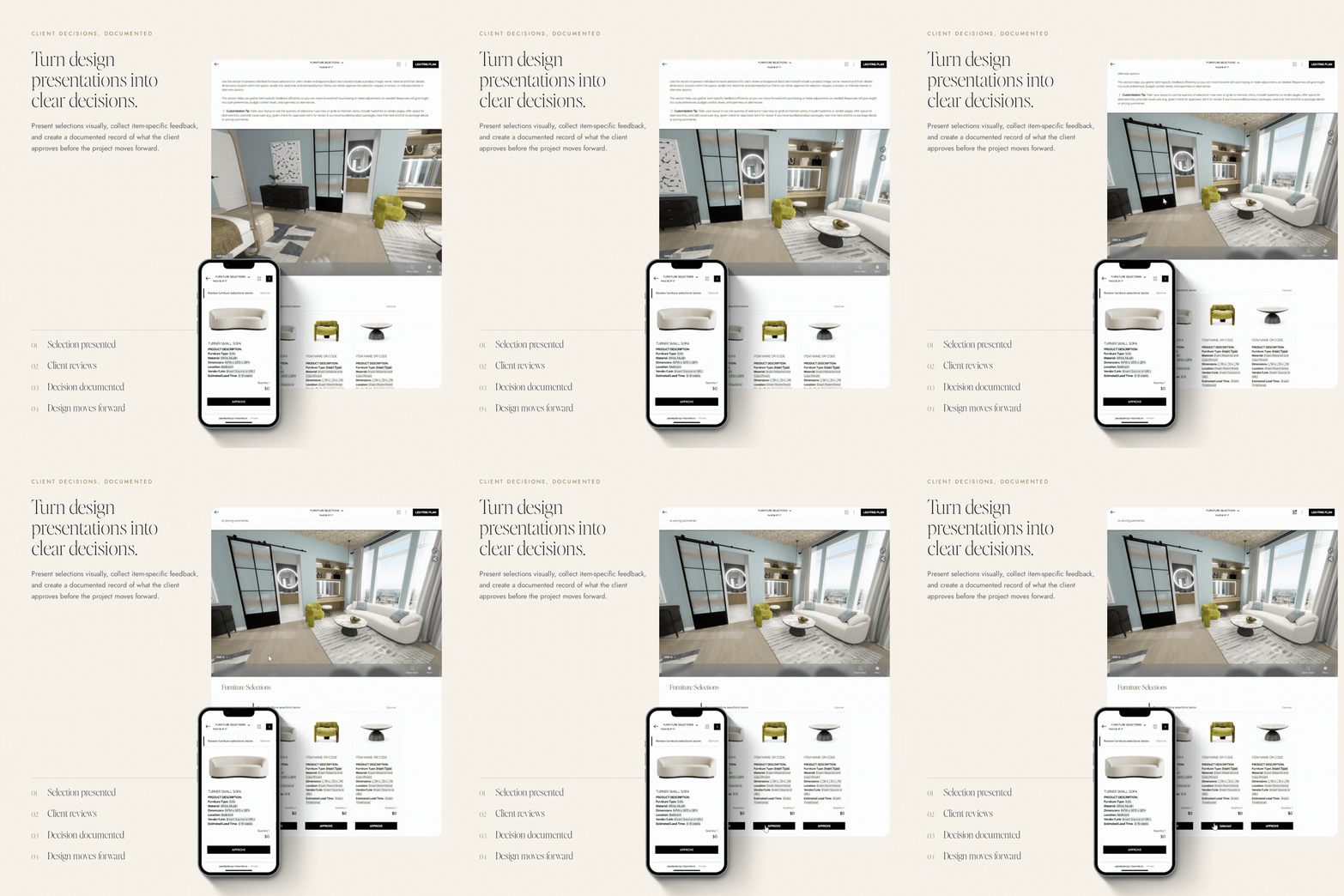 Image 8 of 9
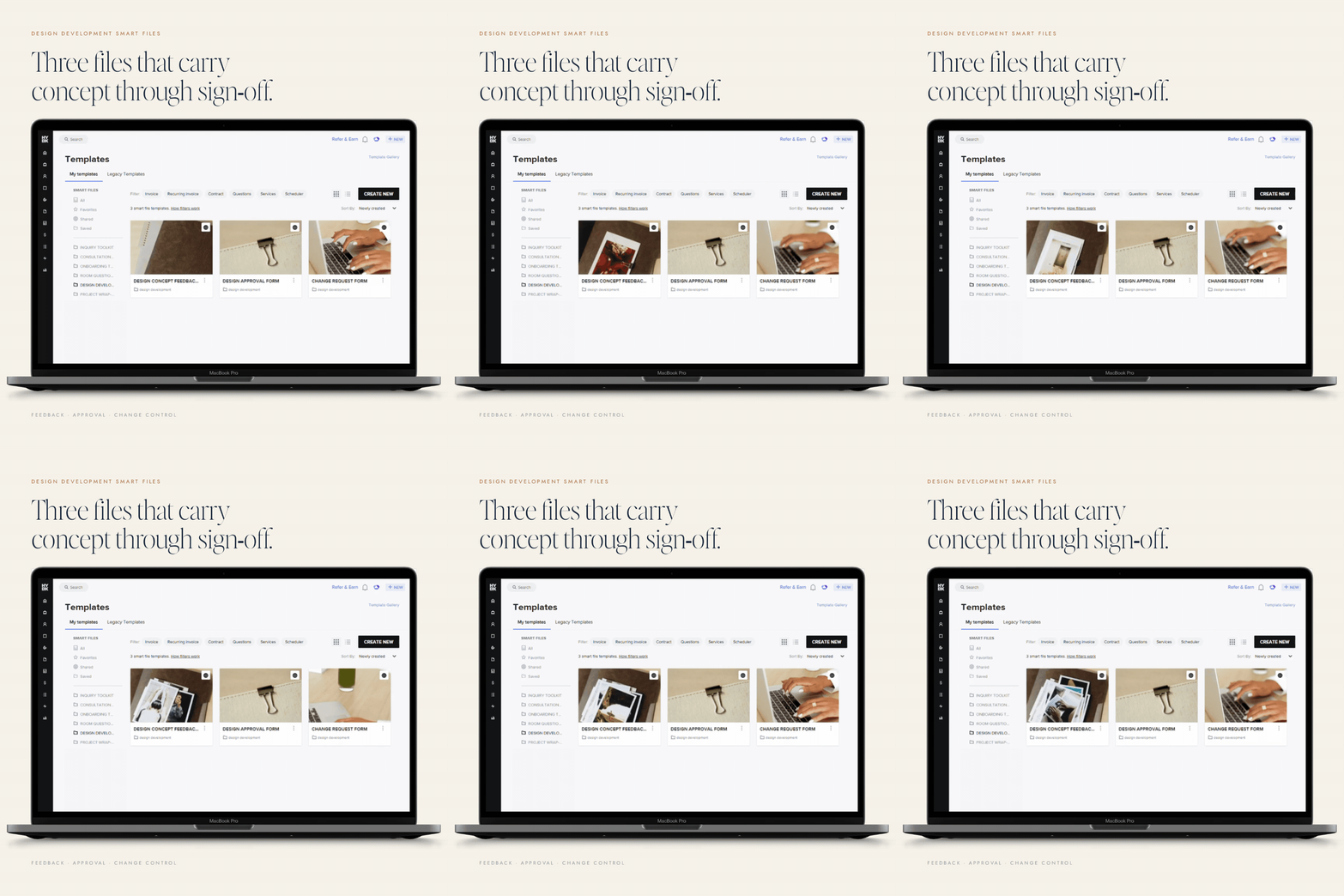 Image 9 of 9
Interior Design Development System
Stage 04 of 5 — Design Development
Manage selections, decisions, changes, and approvals.
More Than A Template Pack
You're not just getting the templates. You're getting the system for putting them to work.
Every client-facing Smart File is already designed, written, and ready to brand. What makes this different is what comes with them: a private, interactive Setup Portal that walks you through customizing the files, loading the email scripts, building the automations, and testing the workflow before it touches an active project.
Three Smart Files, eighteen email scripts, eight mapped automations, and roughly ninety minutes of guided setup. No folder of PDFs to piece together. No guessing what gets connected to what.
Inside Your System
Everything you'll get.
3 Premium HoneyBook Smart Files
The client-facing experience, already designed and written.
- Design Concept Feedback FormPresent the concept in one client-facing place and collect structured feedback, instead of reactions scattered across texts, emails, and meeting notes.
- Final Design Approval FormGive clients a clear, documented way to review the final design and record their sign-off, so you are never wondering whether the approval actually happened.
- Design Change Request FormMove "can we change one thing?" out of your inbox and into a structured request that documents exactly what the client is asking for.
Interactive Setup Portal
Your step-by-step command center for getting the entire system running.
Personalize your studio details once, then work through a guided setup that shows you exactly how to install your Smart Files, tailor your approval and change-request language, save your email templates, build each automation, and test the workflow before an active project runs through it. No separate setup PDFs. No guessing which pieces connect.
Client Decision + Approval Email Library
The communication, handled.
Pre-written messages for presenting selections, requesting decisions, following up on outstanding approvals, responding to change requests, and documenting next steps, including the ones that are awkward to write in the moment. Your studio details drop into the copy as you personalize inside the portal.
8 Done-For-You Automations
The backend, mapped.
Eight automations, built around the three moments that decide whether this stage stalls:
- Presentation + ApprovalDeliver the concept and the final design on a consistent path that ends in a recorded client approval.
- Change Request IntakeRoute client-requested changes into a documented process instead of scattered emails, texts, and meeting notes.
- Revision + Follow-UpKeep outstanding decisions moving so one unanswered selection doesn't quietly stall the project.
Inside the Setup Portal you'll see how the Smart Files, email scripts, triggers, actions, and follow-up steps connect. Activate your workflows so routine delivery, reminders, follow-up, and documentation stay consistent while you focus on the design decisions that require your expertise.
Canva Asset Pack
A curated collection of brand-ready graphics and placeholders you can customize instantly to match your studio's visual identity.
Your Setup Portal
From purchased to a working approval system, without figuring out the setup yourself.
The templates are already built. The Setup Portal shows you exactly how to make them yours. Enter your studio name, service, revision policy, and approval language once, and your email copy personalizes as you work. Instead of handing you a folder of PDFs and leaving you to connect the pieces, the portal walks the entire build in order.
Install
Add your Design Development Smart Files to HoneyBook.
Make It Yours
Update your brand, approval language, change-request policy, and client instructions.
Load Your Scripts
Copy your decision, approval, change-request, and follow-up emails into HoneyBook.
Build The Automations
Follow the mapped triggers and actions to connect selections, approvals, and reminders.
Test, Then Use
Run a sample approval and a sample change request before a live project does.
The phases are ordered on purpose: your automations depend on the email templates you save in Phase 03.
After Checkout
From templates to a working approval system.
- 01
Install
Open your private Setup Portal and add your Design Development Smart Files to HoneyBook.
- 02
Personalize
Update your branding, approval language, change-request policy, selections, and client instructions.
- 03
Load
Save the included decision, approval, change-request, and follow-up email scripts.
- 04
Connect
Build the mapped workflows around selections, approvals, changes, and reminders.
- 05
Test + Use
Run sample approvals and change requests through the system before an active project.
Before You Buy
The details.
Licensed for unlimited use by a single user (the purchaser) for both personal and business purposes. This license is non-transferable — templates may not be resold, shared, leased, duplicated, licensed, sublicensed, redistributed, or offered free or paid to any third party or marketplace. This is a non-exclusive license, meaning other designers may also purchase and use this template.
Due to the digital nature of this product, all sales are final and non-refundable. Please review the preview images and description before purchasing to ensure it's the right fit.
Access is delivered immediately after checkout. Inside your Smart File you'll find the link to your private, interactive Setup Portal, which holds all five phases of the guided setup, your email scripts, and your automation maps. Nothing to download and reassemble.
This file is designed for use with HoneyBook. A valid HoneyBook account is required (subscription sold separately).
Don't Have HoneyBook Yet?
Save 30% on your first year.
A HoneyBook account is required to use these Smart Files. Use the referral code at signup for 30% off your first year. We may receive a referral credit — it costs you nothing and doesn't change what you pay.
Two Ways To Work Together
Install it yourself, or have it built around you.
Do It Yourself
The system is already designed. Follow the Setup Portal and install it in your own HoneyBook account, at your own pace, for a fraction of a custom build.
HoneyBook Setup Service
I design and build the system around your actual business, your services, your pricing, and your workflow, then hand it over ready to run.
See The Setup ServiceReady to get approvals out of your inbox and onto the record?
Instant access. Yours to keep.
Digital product, delivered immediately after checkout. Add it to your cart at the top of this page.
Also In The Journey